
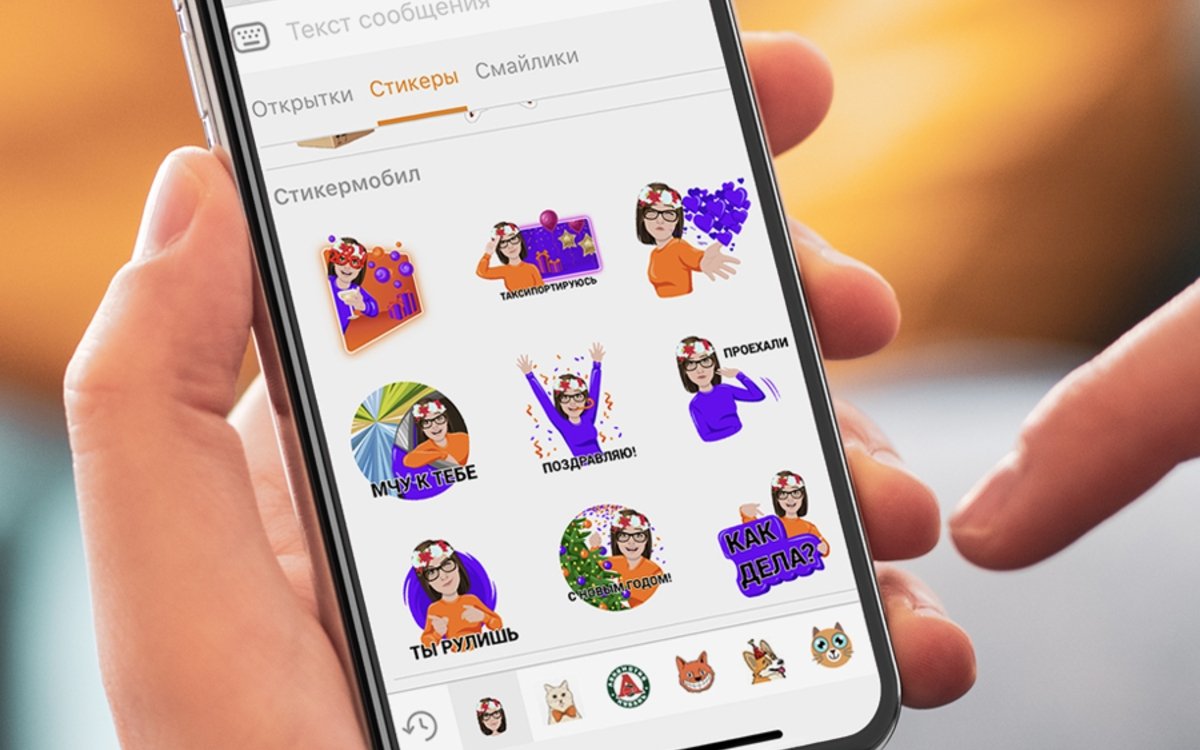

"Classmates" are folding," say some. "There's nothing to do on 'Classmates'," others echo. Meanwhile, "Classmates" (hereafter OK) continue to roll out decent updates. In this article, we will talk about four new features in the social network, released this year.
Audience of "Classmates"
Having skimmed through studies of social network audiences in the public domain, we understand one thing: OK is not as popular a platform as "VKontakte" and Instagram, but in all respects surpasses Facebook. Although SMM specialists still pay little attention to OK and rarely recommend the social network for promoting goods and services :-)
According to official OK data, the average age of the social network's audience is 25–34 years. In the report for the first quarter of 2020, OK shows good dynamics — the number of views, messages, calls, and average time in mobile applications has increased. Quarantine, of course, played its role, but you can't argue with the fact that OK is thriving.
What updates have OK launched in 2020
Personalized stickers from brands
The user uploads a photo to a special application, and a neural network creates personalized branded stickers of the company from the photo. For example, it uses the brand's signature colors for the stickers. The service is free, and the number of sticker packs is unlimited.
Profit: works well for brand recognition and helps announce new products or projects.
The service works in OK's desktop version, as well as in iOS and Android applications.
"Classmates" was the first among Russian social networks to introduce such a feature. Everything works with the help of neural networks. If you forget your password and enter it incorrectly several times, you'll first be offered to recover using email or phone. If such options do not suit you, then recovery will be offered using a photo.
Profit: no emails to support and waiting times — the whole process takes a few minutes.
The feature is currently only available for the Android app.
Broadcasting video calls live
You can broadcast calls both on personal profiles and in groups. Up to 100 people can participate in one call. To start and configure the broadcast, go to the "Video" → "Livestream" → "Webcam" section or click the "Broadcast" button in the post form.
To record a video call, select the appropriate item in the settings right during the conversation. Then you will be able to save the recording and publish it on the social network with the same privacy settings as during the broadcast.
Profit: very convenient for those who conduct webinars and online lessons. Now they can do it right on the social network.
The feature is available in the desktop version and Android applications. Apple users are out of luck again :-)
Online services showcase
The service was launched to support entrepreneurs during quarantine. It's a useful thing. You can talk about your service or product here. Tutors, fitness trainers, and repair masters have already used the service. To get your profile in the section, fill out a resume in the "Masters" section and check the box in your profile settings.
Profit: an additional tool for attracting clients. Users will find your services, who you don't need to warm up — they are just looking for what you offer.






