

An article for those who are just starting to advance on Instagram and creating a new account. Our material will help properly set up the profile without spending time figuring out the intricacies of the Instagram and Facebook interfaces on your own.
How to register?
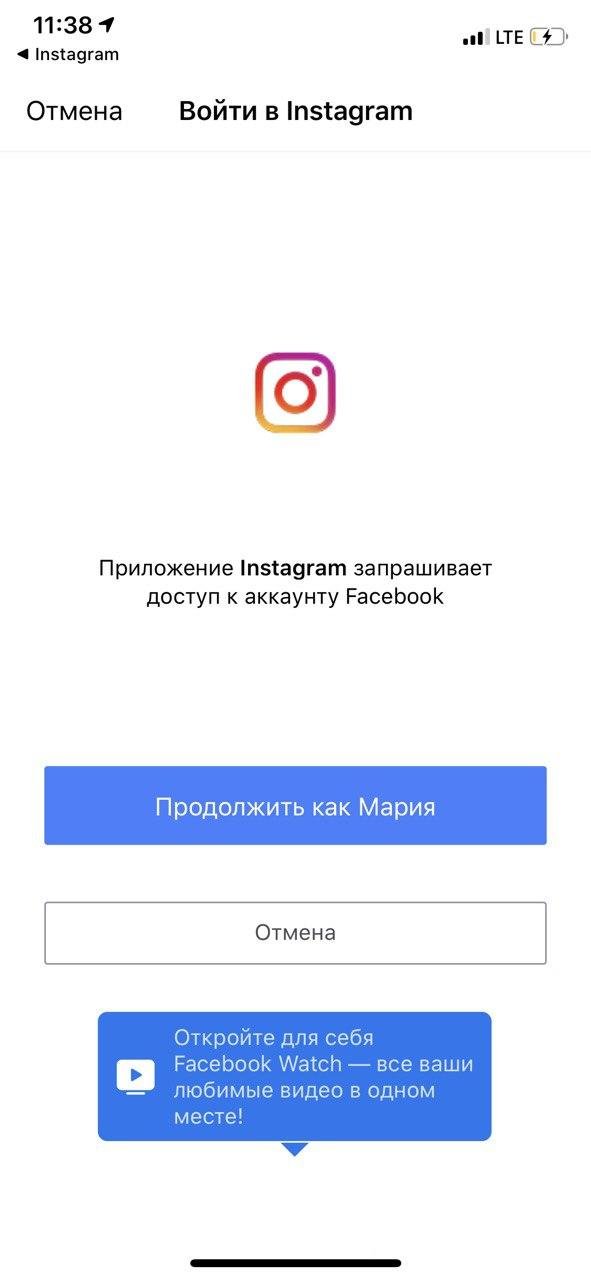
Let's start with the fact that Instagram has been owned by Facebook since 2012. These social networks are functionally connected. To fully use all the features of Instagram, you will definitely need a page on Facebook. So you can think about this in advance and create it right away.
What type of account to choose on Facebook?
Facebook has profiles, pages, and groups. Let's figure out the difference:
- Profile: can only be used by individuals, designed for personal use, not for a company. With it, you can chat with friends, post photos and stories, but business opportunities, such as advertising, will be unavailable to you.
- Pages: used to represent a company or a personal brand. They allow for full-fledged promotion and use of advertising.
- Groups — this is a community of people with shared interests. Through groups, you can communicate and share information with like-minded people — for example, create a community of dog breeders. In the group, you manage the participants' options and can allow them to post information on their own.
Important! You will have to create a page or group in any case to use advertising tools for promotion. But they can only be done after creating a personal profile on Facebook. So be sure to start with it.
You cannot immediately register a business profile — you will still have to create a personal page and then transform it into a professional one.
What opportunities does a business profile open up?
- Ability to launch ads directly from the account in Instagram with minimal audience settings and from the Facebook AdsManager with advanced audience settings;
- Adding buttons "call", "send an email", "how to get there", and a geolocation tag in the profile header;
- Gathering statistics on the audience: age, gender, geo;
- Gathering statistics on posts: reach, impressions, likes, comments;
- Ability to gather an active audience to find people like them and show ads to them.
How to create a personal account on Instagram?
During registration, you can use your phone number or email. Then you enter your name and come up with a password.
Get ready, now there will be many manipulations both with Instagram and Facebook.
- Go to "Settings".
- Select "Account".
- At the bottom, you will see an option to "Switch to Professional Account".
You will be offered to choose one of two modes — "Creator" or "Business".
- Creator — suitable for those who are going to develop a personal brand, run a personal blog. If you are an actor, singer, opinion leader in your niche — choose this type of profile.
- Business — suitable for those who sell products or services, are a manufacturer or a local company. Choose it if you have an online store, hair salon, you are a supplier of sports goods, or IT solutions for business.
Now choose the category in which you work and plan to promote. Instagram offers many options. Start entering the type of services or products you offer in the search, and the social network will show the categories available in this area.
How to set up a payment method?
To be able to launch ads through the native Instagram app, you need to set up a payment method.
-
- Go to "Settings" and select "Payments".
-
- Then "Promotion Payments".
-
- Add a payment method.
Now all pages are created and linked. You can move on to designing.
Designing the Instagram profile header for business or personal blog
Designing the header is no small thing. It is by this that new users decide whether to subscribe to you or not.
To change the header, go to your page and click the "Edit Profile" button:
The profile picture size (commonly known as an avatar) is 110×110. You can choose a photo of a different size, but it will be cropped automatically. To make the avatar look nice, it is better to take care of the right size in advance.
For a personal blog, of course, you need to use your own photo. In the case of small and not very well-known companies, real photos also work — they evoke more trust. Using something branded, with a logo makes sense when your brand is already known, and one of the goals of promotion on Instagram is to increase recognizability. In other instances, use what is relevant to your activity and well illustrates it.
The name is the "Name" field, which is supposed to be no more than 30 characters. The account name will be displayed under your avatar. It is important because this is how the search works on Instagram. Therefore, use the phrases in the name by which you can be found. For example, "Nail Master Spb" or "Bicycles in Msk".
If you are an opinion leader or a blogger without a particular focus on a topic, then you can use your real name.
It can also consist of a first and last name, or it should be as relevant as possible to what you do. Come up with something simple and memorable: remont_devochki, kids_shoes, pandapatch.ru. The nickname can only be in English or transliteration.
Author's note: Dear male audience, patches are a kind of facial mask that is used only under the eyes. So the example of the name is okay, it's understandable. At least for the target audience. :-)
Profile description
The maximum size is 150 characters, including spaces and emojis. This section should contain information about you and what people will find in your profile. Be sure to indicate your main advantages and a call to action. To make the description look neat, first write it in the notes on your phone, spacing paragraphs and using emojis, and then just copy it. You won't be able to do this in Instagram itself because there is no enter button there.
Active link
In Instagram post texts, links are not clickable. You can place only one clickable link in the profile header. To do this, enter it in the "Website" field when editing the profile. If one link is not enough — you want to give clients several options for ways to contact and tell more about yourself, then you need a multi-link. Essentially, it's a service that allows you to make a small, one-page site with pictures, a basic description of products/services, and several links — for example, to the website, WhatsApp, Viber, Telegram, or VK.
Both services are similar in functionality. On the free tariff, you can add links and text blocks and see the statistics of clicks to your page. There are more possibilities with paid options — a choice of design themes, messenger buttons, maps, images, videos, and even payment acceptance.
Highlights
"Stories" displayed below the profile description do not disappear after 24 hours.
Pinned or permanent stories are needed for navigating the profile and placing the most important, up-to-date information. Usually, a product catalog, reviews about you, delivery and payment information, as well as rubrics under which your content is published in the profile are placed here.
- Post a story on your profile.
- Open the stories section.
- Select the one you want to add to highlights.
- In the lower right corner, click on the heart icon with the caption "Highlight".
- Add the story to an existing highlights group or create a new one.
After this, you can go to the selected highlights section and check if the current story has been added. If not, reload the app and try again.
You can add not only new but also stories from the archive. To do this, go to the archive, open the desired story, select the button with the heart and the caption "Highlight".
Requirements for story images:
— Aspect ratio from 1:91 to 4:5.
— Recommended resolution: 1080×1920, minimum: 600×1067.
How to design permanent stories?
When you decide on the content of highlights, they need to be beautifully designed. The name of each pin should be no more than 16 characters with spaces — otherwise, it will not be fully displayed.
For each pinned story, select an icon (or cover) that matches the overall profile style. You can make these icons yourself or download already made ones. For example, there are many options on Pinterest.
List of applications for self-design of icons:
- Canva.
- Over.
- PicsArt.
- Flaticon.
- Highlight Cover Maker.
Let's take the Canva application as an example of how to do it. Log in through Facebook or Google Mail. Choose to create a story for Instagram.






