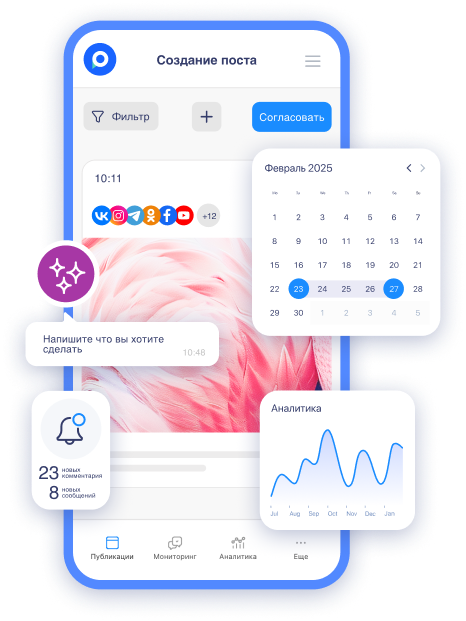
Imagine a Monday morning. You open your phone, and a thought crosses your mind: "I was supposed to post today!" You frantically search for a ready text, quickly edit an image, publish in a rush — and in the end, the post goes out at a bad time, without proper visuals and with a couple of typos. Sound familiar?
This happens even to experienced SMM specialists, agency teams, and businesses that regularly manage social media. Why? Because the human brain struggles to handle routine tasks without an external support system. We remember bright deadlines, but routine "just post it" tasks easily get lost in the flow of other responsibilities.
Why posts "pop up" at the last moment even for normal teams
There are several typical reasons that work against us:
-
Lack of a visible system. If the content plan is sitting in Google Sheets or Notion, which no one opens every day, it turns into a "dead document." Posts do not remind themselves.
-
Overload of tasks. While you're preparing content for one channel, responding to comments on another, and launching ads on a third — regular postings take a back seat.
-
The illusion of "we can handle it." At the start, it seems easy to keep track of 3–4 posts a week. After a couple of months, the rhythm falters, quality drops, and reach diminishes.
-
Lack of a clear rhythm. Without a calendar, the team doesn't see the big picture: how many posts have already been published, which days are "empty," and which topics are repeating.
The result is predictable: chaos, burnout, and the feeling that social media "eats" all your time, when in reality, the time is spent on this constant "firefighting" preparation.
What a working content calendar looks like that truly manages the rhythm
A good calendar is not just a table with dates. It is a living tool that:
-
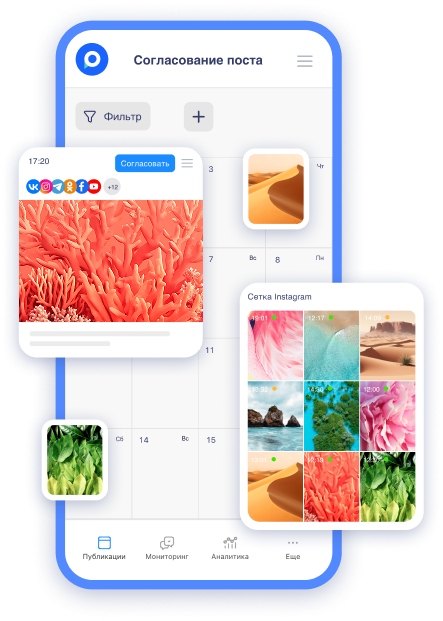
Displays the entire month (or quarter) on one screen.
-
Highlights filled and empty days with color.
-
Allows you to immediately see the distribution across social networks, categories, and statuses (in progress / under review / scheduled / published).
-
Enables you to drag and drop posts with your mouse, add notes, and quickly assess content balance.
In such a calendar, you immediately understand: "This week we have three posts on VK, two on Telegram, and one on Instagram*. Tuesday and Friday are free — we need to add something." No last-minute surprises.
A working calendar transforms chaotic "I should post" into a managed process with a predictable rhythm. The team begins to work proactively rather than reactively: content is prepared in advance, approved without a rush, and is released exactly when needed.
Step-by-step: how to build a content calendar that works
-
Determine your comfortable publication frequency and specific categories. Start by answering the questions: how many posts per week can you realistically manage without burning out? What categories does your audience need (useful tips, case studies, humor, announcements, etc.)?
Example for a small business: 4 posts a week — Monday (useful material), Wednesday (case/story), Friday (light/engaging), Sunday (motivation).
-
Gather newsworthy topics a month in advance. Add holidays, professional dates, seasonal events, and internal company occasions to the calendar. This immediately provides ready topics and enhances the relevance of the content.
-
Distribute topics across the days. Use a visual calendar: drag and drop ready ideas onto specific dates. Look at the balance — there shouldn't be "empty" weeks or overloaded days.
-
Prepare and approve content in advance. The best practice is to have a buffer of 7–14 days. Ready posts sit in the calendar in the status of "under review." The team can see them and make edits without haste.
-
Set up automatic publishing. When a post is ready and approved — it goes into autoposting. You no longer think about it on the day of publication.
-
Analyze and adjust. Once a month, look at the statistics directly from the calendar: which days and categories perform best. Carry successful formats over to the future.
Useful recommendations to prevent the calendar from becoming another abandoned table
-
Make it visually appealing and understandable. Color-coding by categories and social networks greatly simplifies life.
-
Involve the whole team. Everyone should see the calendar and have the opportunity to add an idea or mark a task as completed.
-
Use reminders and notifications. So that no one misses the review stage.
-
Don't try to fill everything perfectly the first time. Start by planning for 2 weeks, then extend the horizon.
-
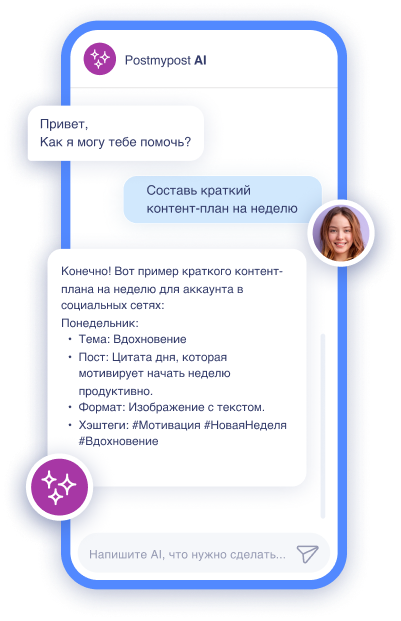
Combine with AI for idea generation. Modern tools help quickly draft outlines for chosen categories and dates.
Example of a real working calendar for a week
-
Monday — Useful guide (carousel on Instagram* + VK)
-
Tuesday — Stories + repost on Telegram
-
Wednesday — Client case (long post + video)
-
Thursday — Engaging poll or question to the audience
-
Friday — Light content/meme/humor (to end the week on a positive note)
-
Weekend — 1–2 posts or automatic Stories
With this approach, even during vacation or sick leave, the rhythm doesn’t break — posts continue to go out.
Why a systematic service makes the calendar truly effective
When the calendar lives within a tool for autoposting and teamwork, it stops being just a "to-do list." It becomes the control center for all content: from idea to publication and analysis of results. Everything is in one place, without switching between dozens of tabs and tables.
If you're tired of the constant "oh, I was supposed to post today," it's worth trying a tool where the content calendar is designed specifically to keep the rhythm of publications stable and manageable. Postmypost fits particularly well in this regard — the visual calendar, convenient distribution across days and social networks, post statuses, and integration with autoposting allow you to truly stop remembering about publications at the last minute.
Useful materials from our blog on the topic
Start small — try to plan at least the next week in a convenient calendar. After a couple of weeks, you'll feel how the usual stress of "what to post today?" disappears. Content will stop being a constant rush and will turn into a calm, predictable process.