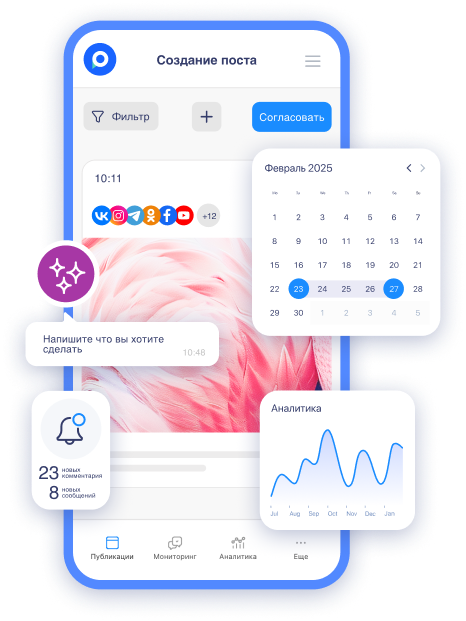
Many small business entrepreneurs spend 10–12 hours a day on operations. Orders, deliveries, employees – all of this consumes time, leaving only the evening hours for social media. As a result, posts are published chaotically, taking an additional 2–3 hours to find ideas, edit photos, and manually post on each network.
When content is created in a rush and in fatigue, it turns out to be formulaic and fails to engage the audience. Customers leave for competitors who post regularly and with passion. Social media stops generating leads, and the business stagnates.
Yet, this time could be spent on creativity: coming up with bright ideas, shooting lively stories, engaging with followers. Regular and quality content helps stand out, build trust, and surpass those who post sporadically.
In this article, we will show step by step how to set up systematic planning of posts in advance and reduce the daily routine for social media to just 20 minutes.
Why Entrepreneurs Work "in the Business" Instead of "on the Business"
Most small business owners drown in operations and cannot break through to a strategic level. It is not difficult to model what this looks like in practice.
-
Personally handle all tasks: accept orders, communicate with suppliers, resolve issues with employees, respond to calls and messages in messengers.
-
No delegation: teams are often small or nonexistent, so everything falls on the owner's shoulders.
-
The day stretches to 10–12 hours: morning opening, peak during the day, evening shipments and reports.
As a result, by evening, only fatigue remains. There is simply no energy for creative content:
-
posts are hastily written, often with errors or without photos;
-
ideas come "by mood," so publications occur once a week or less;
-
there is no time to analyze what resonates with the audience – everything relies on intuition.
Imagine a café owner who stands behind the counter, buys beans, and manages the Instagram account. A post about a new dessert takes 2 hours at night when everyone is asleep. Or picture a workshop specializing in tech repairs: repairs during the day, responding to clients in the evening, and shooting stories on the phone during breaks between orders – the quality reflects this. Or consider an internet store for handmade goods: packaging, delivery, correspondence – and only afterward, if energy remains, taking photos of products for social media.
When you are constantly "in the business," development halts. Competitors who have found ways to systematize routine gain an advantage: regular content → more trust → more sales.
The solution is to restructure processes so that operations do not consume the entire day and allocate time for what truly grows the business. One such tool is systematic content planning in advance.
How One Post Can Consume 2–3 Hours, While Planning Reduces Routine to 20 Minutes a Day
Many entrepreneurs know that sometimes it takes an entire evening to publish a single post. Let's imagine the real numbers for how this happens in practice.
-
Idea and content search: 30–40 minutes spent reviewing competitors, selecting photos from the gallery, or taking a quick snapshot of the product.
-
Material processing: another 40–60 minutes for photo editing in an app, adding text, and selecting filters.
-
Writing text: 20–30 minutes for formulating a selling description, hashtags, and a call to action.
 AI-ассистент отвечает в комментариях и сообщениях так, будто это живой менеджерБыстро, естественно, без пропусковУзнать подробнее
 -
Publishing on multiple networks: 30–45 minutes for manual posting on VK, Instagram, Telegram, Odnoklassniki – adapting the format for each platform.
-
Additionally: responding to old comments, checking statistics – and suddenly 2–3 hours have passed without a trace.
Let's look at real examples from practice. They clearly demonstrate how much time and effort is spent on independently managing all processes related to social media.
-
The owner of a flower shop used to spend 2.5 hours on a post: photographing bouquets in poor lighting, processing them in three apps, and writing text at night. As a result, they published 2–3 times a week and burned out.
-
A manicure master shot their work, edited in Lightroom on a computer, then transferred it to their phone and posted manually – one post took up to 3 hours. Publications were irregular, and clients forgot about the salon.
-
The owner of a small café prepared posts in the evening after closing: food photos, text about promotions, publishing on four networks – at least 2 hours each time.
Then they switched to systematic planning in Postmypost – and everything changed drastically. At first, it seemed that "yet another service" would only add to their workload. But after the first week, it became clear: instead of daily chaos, there was a calm, predictable process. Texts are now written using ready-made templates, and publications are automated. Once a week (on Sunday or Monday morning), they allocate 1–1.5 hours to prepare 7–10 posts. Everything is queued up and published automatically according to schedule. Here are the results from the same entrepreneurs.
-
Flower shop: now just 20 minutes a day – only for responses to comments and stories. Posts are published daily, and sales from social media have increased by 30%.
-
Manicure master: spends 15–20 minutes in the morning checking the queue and creating quick stories. Bookings for a month ahead have increased.
-
Café: the owner plans content over a cup of coffee on weekends, and during the week, only monitors responses – routine is down to 20 minutes.
Systematic planning returns time and energy: instead of fighting with posts daily, you receive regular, quality content without stress. The business starts working for you, instead of you working for it around the clock. The most significant change is the feeling of control. No more panic of "oh no, I forgot to post!" No more late-night edits with a tired mind. There is a system that works for you. And 20 minutes a day is no longer a routine but a pleasant interaction with the audience.
What is Postmypost, and Why You Should Try It
Postmypost is a professional service for scheduled posting and social media management. It allows you to:
-
plan publications in advance;
-
publish simultaneously on multiple platforms;
-
automate SMM routines.
At first glance, it may seem like just another tool for auto-posting – there are many of those. But when you start working with it, you realize: it has everything you need for real time and effort savings. Here is what becomes available as you use it:
-
built-in photo and video editor – cropping, filters, stickers, watermarks;
-
an AI assistant that generates ideas, rewrites texts, translates, and makes content livelier with one click;
-
multi-messenger – all comments and messages from different networks in one window, with response templates and notifications in Telegram;
-
analytics and statistics – tracking engagement, audience growth, and post effectiveness;
-
team collaboration – task distribution, limited access rights, content approval with clients;
-
calendar and content plan – visual overview of the post queue, moving and duplicating in a couple of clicks.
Many entrepreneurs initially underestimate the service: "Why pay when you can do it manually?" But after a 7-day free trial (with all functions available), they change their minds. Routine decreases significantly, content becomes regular and quality, and time is returned for business development.
If you are tired of chaotic posting and want a system that works for you – definitely check it out. There is indeed a lot of useful features that reveal themselves in the process and make managing social media simple and enjoyable.
Registration and Post Planning in Postmypost
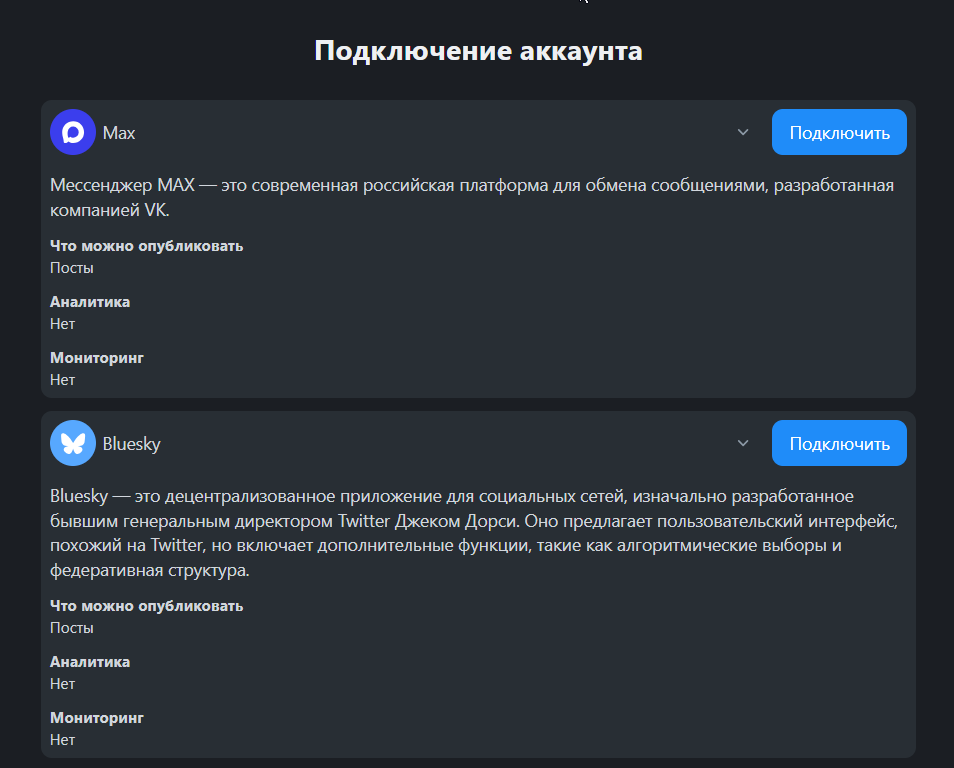
To start planning, first create a project and add your social media accounts. This is the foundation – without connecting, posts won’t be published. Registration takes a minute: go to the site, provide your email and password. New users have access to 7 days for free. Then, in the "Accounts" section, click "Connect" and select the desired platforms – VK, Telegram, Odnoklassniki, or others. At this stage, the accounts are ready for publication. Now you can move on to creating content.
Go to the "Publications" section and select the "Calendar" view. Here you will see the days of the week and can schedule posts in advance. Planning helps you work "on the business" rather than "in the business." Once a week, dedicate an hour – and content for 7–30 days is ready.
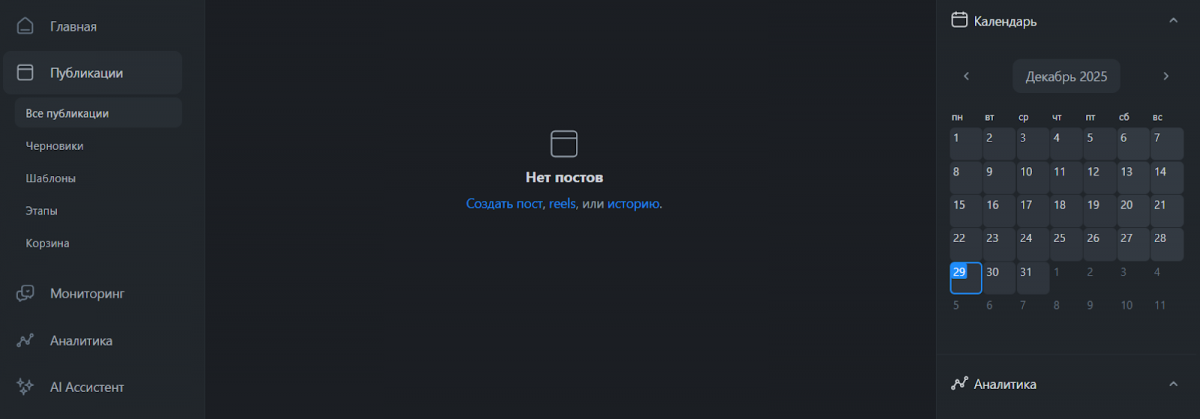
In the calendar, you can see which days are loaded and which are empty. Drag and drop posts with your mouse to adjust the schedule. Now the post queue is formed visually. You control the balance of topics and frequency.
Click "Create Publication," add text, photos, or videos. The built-in editor allows you to crop images, add filters, and stickers. Choose the date and time for release – or several for different networks. The preview shows how the post will look on each platform.
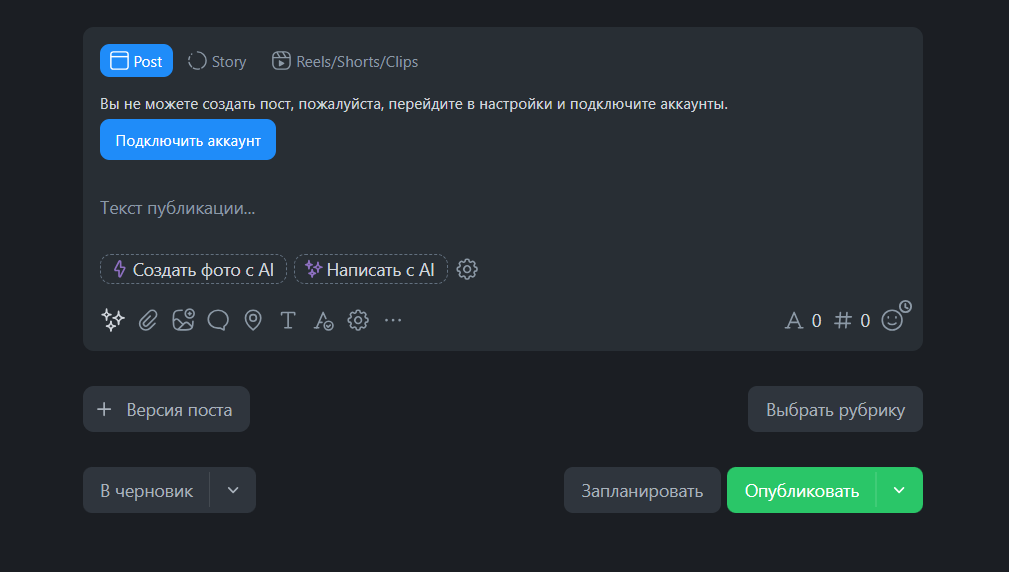
When posting manually, it’s easy to forget about time or make a typo in a rush. In Postmypost, the entire plan is visible: move, duplicate or edit posts in a couple of clicks. This saves hours and reduces stress. At this stage, posts are queued and will be published automatically.
Common Mistakes and Nuances When Planning Posts
When you start working with scheduled posting, it’s easy to make typical mistakes – especially if you’ve done everything manually before. Let’s list the most common errors and how to avoid them.
-
Don’t plan too many posts at once. Newbies often upload 7–10 publications a week, and then see a drop in reach. The audience gets tired of the influx. Start with 3–4 posts a week and gradually increase while monitoring reactions.
-
Check the preview for each network. Formats vary significantly: a square photo is perfect for VK but will be cropped in Telegram, a vertical video is great for Reels and Shorts but loses meaning in the Odnoklassniki feed. Always check how a post looks on each platform before publishing.
-
Don’t forget about the relevance of content. The world changes quickly: the promotion has ended, the product is sold out, the holiday has passed. Regularly review the queue and move or delete outdated posts – it’s easier than explaining to followers why the offer no longer applies.
-
Use categories and tags. Assign categories to posts ("Promotions," "Reviews," "Useful") – later you’ll be able to quickly find and filter the needed publications in the calendar.
These little details help avoid annoying followers and technical issues. When you consider them from the start, planning becomes a truly comfortable and predictable process.
Now you can work less while selling more. Systematic planning in Postmypost transforms chaotic posting into a predictable process. You spend minimal time on routine and focus on customers and growth. Try planning your first week of posts – the first 7 days are available for free.