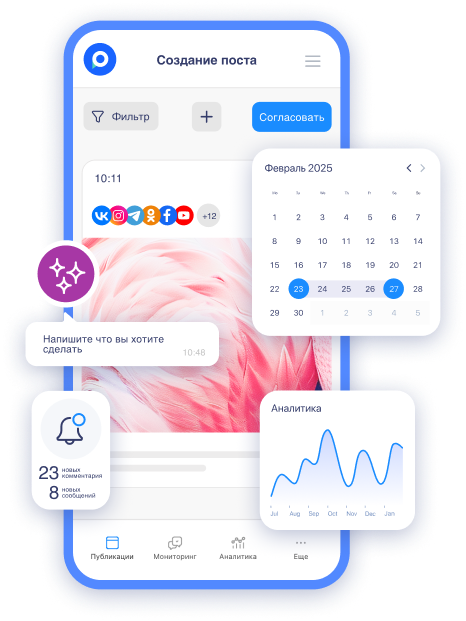
Many entrepreneurs and business owners are afraid to delegate social media management. The main fear is handing over the login and password of accounts to freelancers or employees, as this poses a risk of data leakage, account blocking, or simply losing control over the page.
However, without a team, content is published infrequently, quality declines, and the business loses reach. In this article, we will explore how this problem is solved with a special system of roles and permissions: you connect the accounts yourself, while the team works within the service without passwords.
What Happens If Login and Password Fall Into the Wrong Hands
A data breach is no joke. An attacker can delete all posts, publish spam, or simply block the account permanently. The consequences are serious:
-
thousands of subscribers leave;
-
advertising stops;
-
sales decline.
Restoring an account can take weeks or months, and sometimes it is lost forever—especially if a business page with an advertising account is tied to it. Let's consider possible consequences with simple examples:
-
a freelancer shared the password with an acquaintance— the account was hacked, casino ads were published, 18,000 subscribers were lost, and two months of sales were gone;
-
a disgruntled employee deleted the entire archive of stories and Reels from two years, causing reach to drop by 60%;
-
a competitor, through a fake SMM specialist, gained access to the store's page and posted negative reviews on behalf of the brand— the reputation suffered, and negative reviews filled Google and Yandex as well.
Even if there was no malicious actor, a simple hack of a freelancer's device can open access to all your accounts. In the end, this results in lost time, nerves, money on recovery, and missed profits. Risking passwords means putting your entire social media business at risk.
Why It's Important to Be Cautious with Passwords
Social media passwords are keys to the entire business online. They can be easily intercepted: phishing emails, weak Wi-Fi in cafes, malware on the freelancer's device, or even a simple screenshot in a chat.
Even if you trust a person completely, their account can be hacked. By 2025, cases of hacks through the chain freelancer → their device → your account became common. One compromised password—and the attacker gains access to all your pages. With manual password transfers, you completely lose control:
-
you can't see who accessed the account and when.
-
you can't instantly revoke access—you have to change the password manually across all platforms.
-
you risk that a former employee or disgruntled freelancer retains access and uses it later.
This is especially dangerous for business accounts: advertising accounts with budgets, payment information, audience access, and client communications are tied there. A leak can cost not only subscribers but also real money—stopped advertising, lost leads, fines from platforms. Being cautious with passwords means protecting not just a page, but the entire sales channel and brand reputation.
When Caution Turns into Paranoia: How Excessive Control Hinders Business
Many entrepreneurs, in an attempt to protect their accounts, go to extremes. They manage social media themselves in the evenings and on weekends, sacrificing time with family and rest. Or they hire a freelancer but require every post to be sent for approval in Telegram, spending hours messaging and making 5-10 rounds of edits. As a result, everything suffers.
-
Constant burnout: the owner spends energy on routine instead of business development.
-
Delays in publications: the content plan falls apart, posts are published infrequently and irregularly.
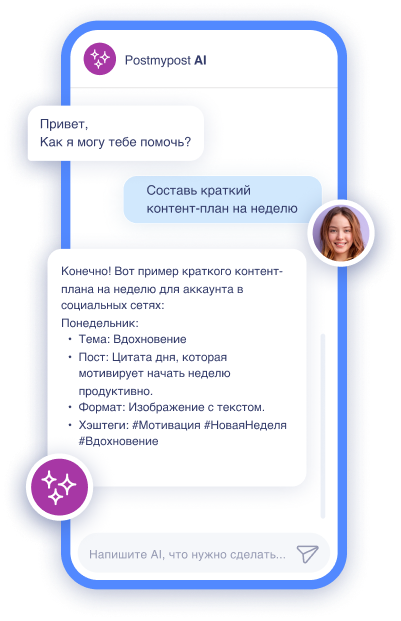 AI-ассистент отвечает в комментариях и сообщениях так, будто это живой менеджерБыстро, естественно, без пропусковУзнать подробнее
 -
Missed opportunities: while you check every emoji, competitors are posting daily and growing.
-
The audience stagnates or leaves—algorithms punish inactivity.
You can run the same Instagram yourself for a long time, posting 2-3 times a week. Reach may not grow for years, finally forcing you to hire an SMM specialist and hand over passwords. No one is immune; within that month, you could nearly lose the account due to suspicious activity. Frightened, you return everything to yourself and lose another half year of growth.
An excessive fear of delegation is often more costly than the risk itself. Without a team, social media remains a hobby rather than a sales channel.
What You Can Do with Teamwork in Postmypost
By setting up roles and permissions, you will completely eliminate the risks of password sharing and gain a convenient tool for delegation. Here’s what becomes possible:
-
invite an unlimited number of employees, freelancers, and clients—they work within the service without direct access to accounts;
-
assign specific permissions—a copywriter only creates posts, a designer uploads visuals, a client only views and comments;
-
approve all content in one calendar—edits, comments, and approvals without messaging back and forth;
-
track every team action in the history of changes and instantly change or revoke access;
-
delegate routine tasks—creating posts, responding to comments, analytics—and focus on strategy and business development.
This is not just protection for accounts, but a real lever for scaling SMM without stress and excessive control. The team works faster, content is published regularly, and you maintain full control.
Roles and Permissions in Postmypost: How to Set Up Teamwork Safely
In Postmypost, the system of roles and permissions is based on the principle of flexible customization: there are no rigid predefined roles (like "Admin" or "Editor"), instead, the project owner customizes partial or full access for each invited user individually. This allows for precise adjustment of permissions to the specific tasks of each team member—from minimal (viewing and commenting only) to almost full control (all functions except publishing or deleting).
As the owner, you connect social media accounts yourself through official APIs—passwords remain with you. The team works exclusively within the Postmypost interface, without direct access to accounts.
-
Manager. Can create, edit, publish posts, and view analytics and monitoring. Ideal for an SMM manager or lead specialist who fully manages the project but does not have final approval rights or team management.
-
Administrator. Full access, user management, settings, and modules. Suitable for a trusted deputy or co-owner.
-
Creator. Can create and edit publications, participate in discussions. Great for copywriters, designers, or content makers: they prepare drafts but cannot publish without approval.
-
Approver. Can approve or reject publications, participate in discussions. Ideal for a manager: sees post previews as in social media, leaves edits, but does not change or break anything themselves.
Postmypost also offers a customizable role. You manually check the necessary permissions (for example, view posts + comments only, or respond to comments without deleting). You can combine any functions: monitoring, analytics, post creation, etc. Suitable for any non-standard tasks: community manager (comments only), analyst (reports only), client with minimal access, etc.
All roles operate with stages of posts (Draft → Under Review → Scheduled → Published). You always see the history of changes, can revoke access with one click, and receive notifications about team actions. This allows for safe delegation: the copywriter creates, the designer adds visuals, the approver checks, the manager publishes—and full control remains with you.
Step-by-Step Instructions
First, register in Postmypost and create a new project, which will take a couple of minutes. Only you as the owner can connect your social media accounts. The service works through official APIs, so passwords remain with you.
Select the required platforms, authorize through the official login, and the accounts will appear in the project. None of the invited users will see the passwords or be able to log into the accounts directly. At this stage, the project is ready for work, and you are the only one with full access.
Now the team can create posts together. One writes the text, another adds photos, a third approves—all in one calendar with notes “Draft,” “Under Review,” “Scheduled,” and internal comments for the post. Use workflow stages: the post moves from draft to publication, allowing for edits. Clients see the preview of the post just like in social media and leave comments within the service.
By delegating manually, you risk errors and wasting time on control. In Postmypost, everything happens in one interface: you see the queue of posts, edit with a click, and track who did what. This speeds up the process several times and eliminates chaos in communications.
Common Mistakes and Nuances When Working with Team Access
Even with a convenient role system, newcomers often make mistakes that lead to unnecessary stress or minor issues. Let’s list the most common ones.
-
Forgetting to revoke access from a dismissed or concluded partnership employee. A former freelancer may stay in the project for months and see the content plan. Solution: check the team list at least once a month and remove inactive users with one click.
-
Giving a newcomer too broad permissions from day one. A copywriter is immediately given publishing and deletion rights—and then a post accidentally goes live without approval. Solution: start with minimal permissions, then expand as trust and tasks grow.
-
Not using post approval stages. Without them, anyone with editing rights can accidentally send a post for publication without your edits. Solution: always move posts through the stages “Draft → Under Review → Scheduled.” This prevents errors and captures the history of changes.
-
Inviting a client with editing or full access rights. The client starts changing texts or deleting posts, and the process turns chaotic. Solution: for clients, choose only viewing and internal comments on posts. They see previews like in social media and leave edits, but can’t break anything.
-
Ignoring notifications about team actions. You miss important edits or new drafts and lose control over the process. Solution: enable notifications in Telegram or email; they arrive instantly about new posts, comments, and changes.
-
Not recording tasks in comments on posts. Everything is discussed in messengers, making it difficult to understand who should correct what later. Solution: leave all edits and tasks directly within the post card; this is visible to the whole team and remains in history.
These nuances may seem minor, but they help avoid 90% of problems in teamwork.
Now you can confidently delegate social media management without risking accounts and wasting time on micromanagement. The team works faster and more effectively, content is published regularly, and full control remains with you.
Try setting up roles and inviting your team to Postmypost— the first 7 days all features are available for free.